
How to use the GeoFS Livery Selector
The GeoFS Livery Selector (LiverySelector) is the free community add-on that puts hundreds of liveries, and your own, on GeoFS aircraft. Here is the short version:
- 1Install it: the Tampermonkey version from the project’s Releases page (recommended), or paste its
main.jsinto the browser console each session. - 2Start GeoFS, pick an aircraft with the LS logo, and open the menu with the LS button or the L key.
- 3Click a livery to apply it, or load your own PNG under Load External Liveries › Direct.
Make a livery to load in LiverySelector
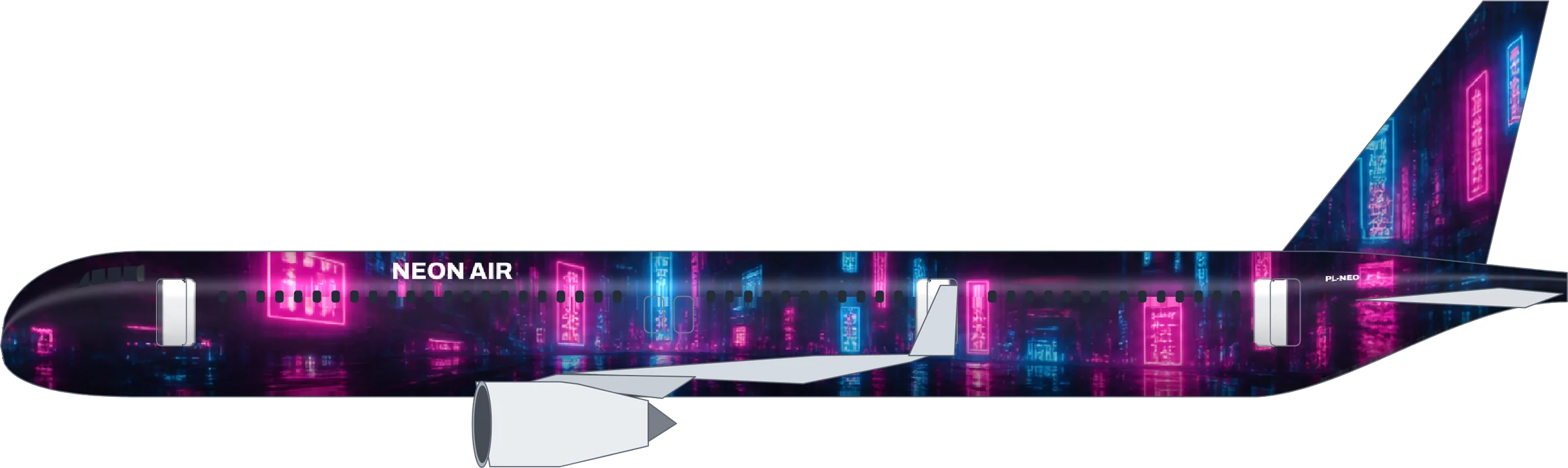
Describe an airline, let AI paint it, then press Download for GeoFS. The PNG drops straight into the Direct tab.
Install the GeoFS Livery Selector
LiverySelector is a script that runs on top of GeoFS in your browser. It gathers the community liveries that used to live in separate add-ons, adds its own, and gives them one menu. You can run it two ways.
Option 1: Tampermonkey (recommended)
- Install the Tampermonkey extension for your browser (Chrome, Edge, Firefox and Safari all have one).
- Open the latest LiverySelector release and add the Tampermonkey version to the extension.
- Reload GeoFS. The livery selector starts with the game from now on and downloads the newest livery list on every start.
Option 2: paste it into the console
For a quick test without installing anything, open GeoFS, open your browser’s developer console, and paste the contents of LiverySelector’s main.js. It works until you close the tab, so you repeat it every session. This is handy on a school or work computer where you cannot add extensions.
Pick and apply a livery
Aircraft that support the livery selector carry the LS logo in the GeoFS aircraft list. A second logo marks aircraft whose liveries other players can see in multiplayer. Choose one, then open the livery menu with the LS button or the L key.
- Click a name to put that livery on your aircraft. Each entry shows the livery name and, below it, its creator.
- Star your favourites and they move to the top of the list.
- Search by airline or livery name. On slow computers, Potato Mode under the search bar keeps the list light and you search for what you want.
- Medal icons next to a name mark liveries that won the community’s livery competitions.
Load your own livery with the Direct tab
The part most people are looking for: putting a custom livery on a GeoFS aircraft.
- Make the texture. The quickest way is the maker above: describe your airline, paint it, and press Download for GeoFS. The file is laid out for the exact GeoFS aircraft you picked.
- In GeoFS, select the same aircraft, for example the Airbus a320-214 for an A320 texture.
- Open the livery selector and go to Load External Liveries.
- Choose the Direct tab and drop the PNG onto it, or click the blue button and pick the file.
The livery appears at once. It stays for this session only and only on your screen; load it again next time. If it looks scrambled, the texture belongs to a different aircraft type.
The other tabs do other jobs: Upload sends a file to an image host so you get a link, Download saves liveries, and API stores the image-host key you need to submit liveries to the project.
Let other pilots see your livery
Liveries loaded with Direct are private. There are two routes to a livery other pilots see:
- Submit it for review. With an image-host API key and your Discord user ID saved in the API tab, upload the image and use Contribute to LiverySelector Database. The team reviews submissions before they are added for everyone. You can also send liveries through GitHub, Discord or email.
- Run a virtual airline list. Since version 3.2.0 a virtual airline can host its own
airline.json, and pilots add it with + Add Airline. Those liveries sync every time GeoFS loads. For safety they stay invisible in multiplayer until the airline is verified and whitelisted through the project’s Discord.
Keep submissions fictional or properly licensed. An original airline from the maker above is yours to share; copies of real airline brands are not.
Troubleshooting the GeoFS Livery Selector
- Nothing happens. Make sure you run the latest version: update the Tampermonkey script or paste the current
main.js. - The list loads slowly. Popular aircraft such as the 737 and A320 have over a hundred livery files, some several megabytes. Give it up to thirty seconds or turn on Potato Mode.
- A livery will not apply. Large files take a moment; wait a little before clicking again.
- My own livery is mirrored or misplaced. It was painted for another aircraft or by hand on the wrong layout. Download it again from the maker with the right aircraft selected.
LiverySelector is an independent open-source project by its contributors; this guide is not affiliated with it or with GeoFS. Steps checked against the project’s documentation; updated .
More tools on the field
Black on yellow points the way, yellow on black says where you are, same as the signs on a real taxiway.
LiverySelector questions
Is the GeoFS Livery Selector free?
Yes. LiverySelector is a free, open-source community add-on for GeoFS (MIT licence). It is not made by GeoFS itself.
Do I have to paste the code every time?
Only with the console method. Install the Tampermonkey version from the project’s Releases page and it starts with GeoFS automatically.
How do I open the livery menu?
Click the LS logo in GeoFS or press the L key on your keyboard.
Do I need to upload my livery to an image host?
Not to try it yourself. The Direct tab loads a PNG straight from your computer, so you can test as often as you like. You only need a public image link (or a submission to LiverySelector) when other pilots should see it too.
Why can’t other pilots see my custom livery?
A livery you load with the Direct tab is only on your screen. Liveries everyone can see in multiplayer go through LiverySelector’s submission and review, or a whitelisted virtual airline list.
The livery list will not load. What can I do?
Some aircraft have over a hundred livery files, so the list can take up to half a minute on a slow connection. Wait, check your network, or turn on Potato Mode under the search bar.
Where do I get a livery to load?
Make one with the GeoFS livery maker on this page: describe an airline, let AI paint it, and download the GeoFS texture for your aircraft.