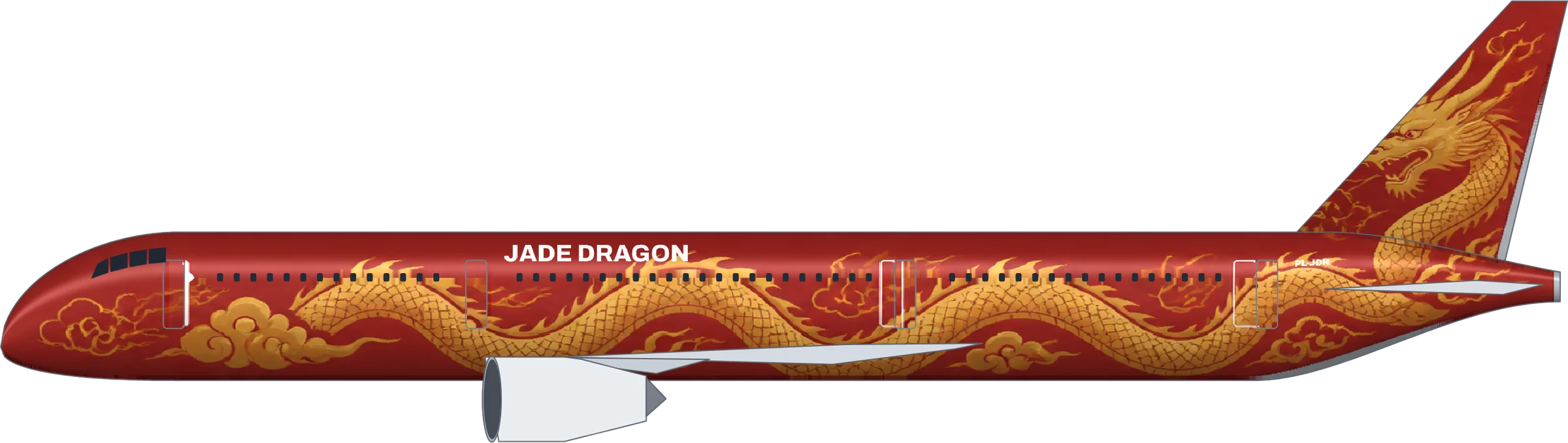
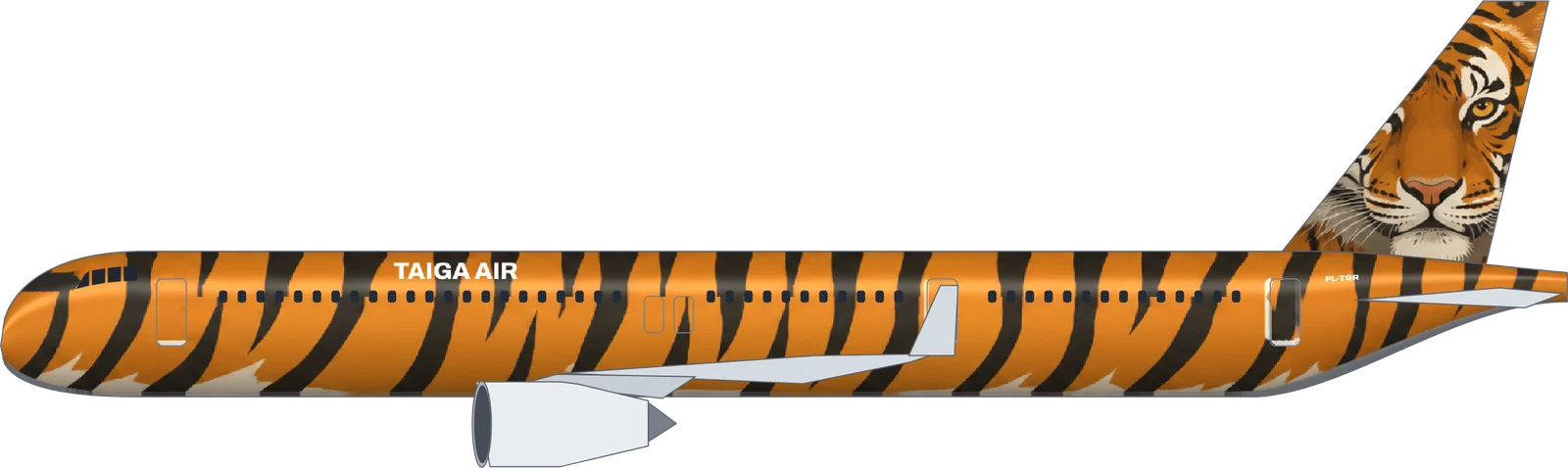
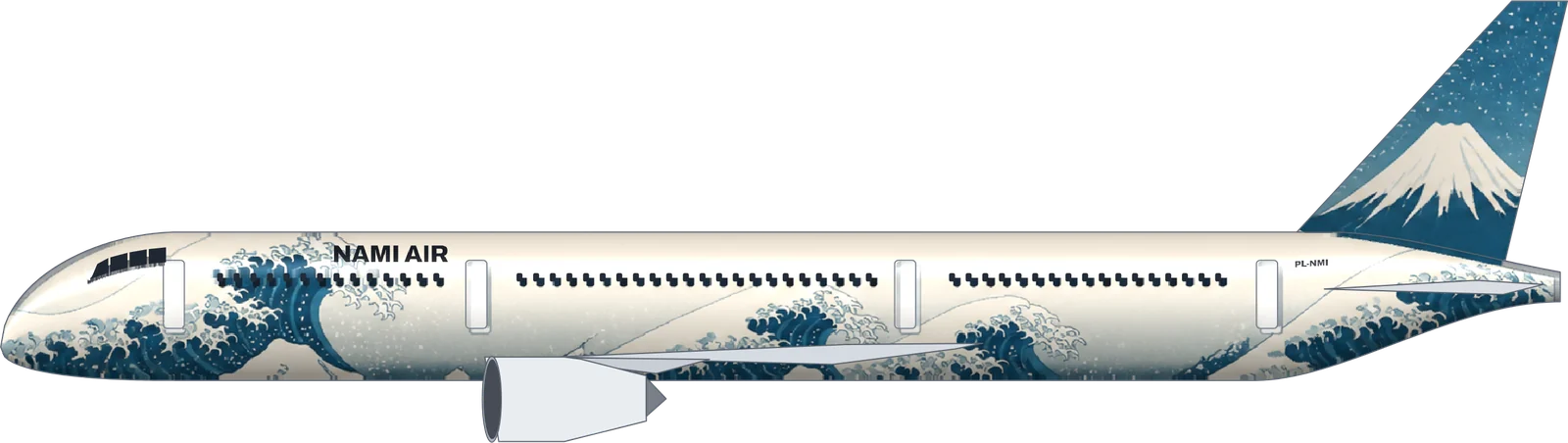
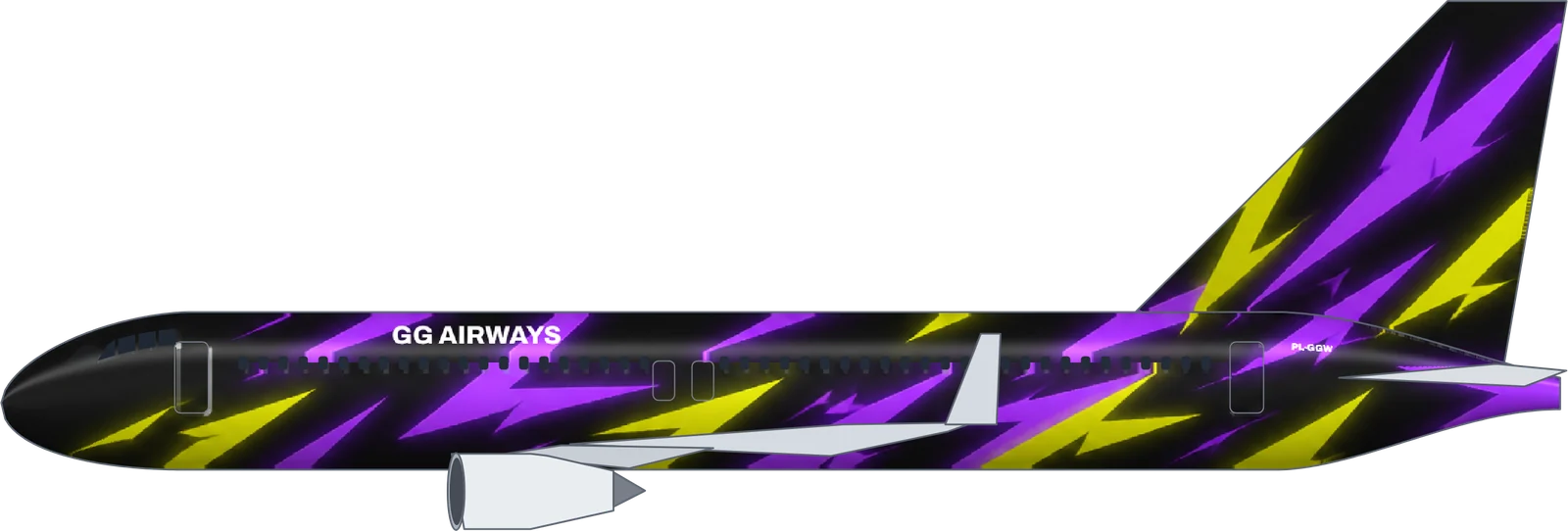
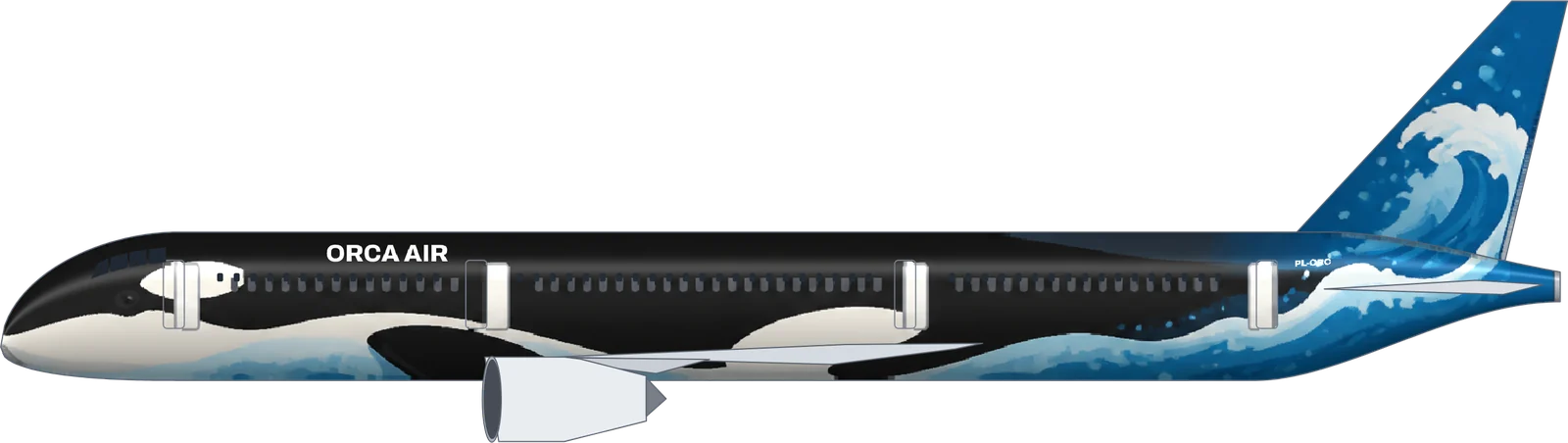
Describe a theme in one sentence. The AI paints it nose to tail on a real A320, A321neo, 737 or 787, and you download a side view or a texture ready for GeoFS.
The AI livery generator from Plane Livery (planelivery.com). About 40 seconds per livery; 10 free credits when you sign up.
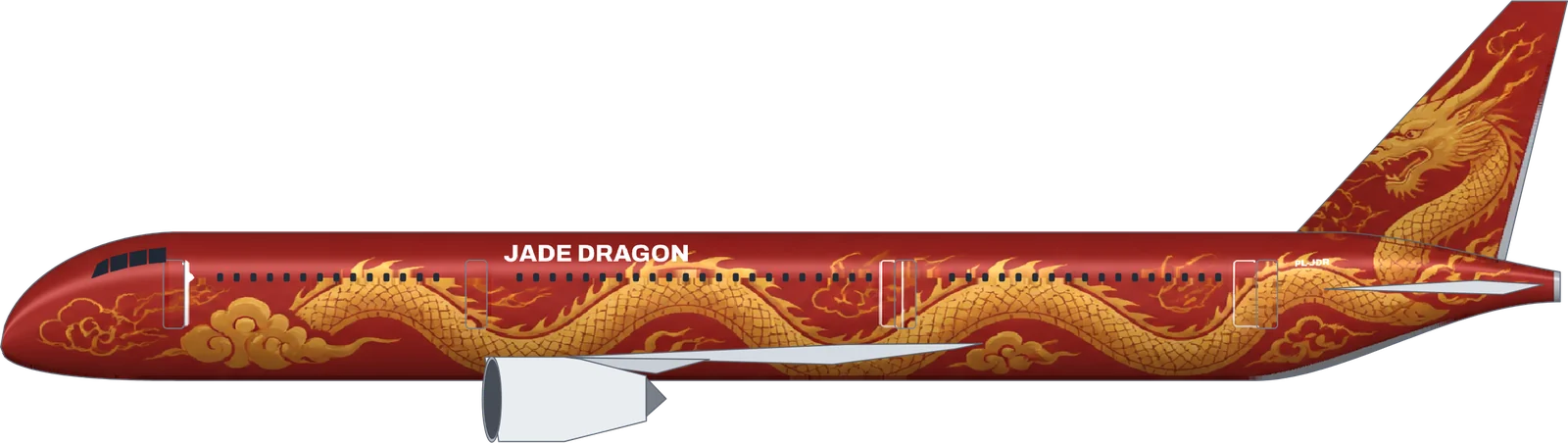
Jade Dragon on the Boeing 787-9, painted by Plane Livery from the sentence above.
What the AI livery generator does
Paints
The whole fuselage and the tail fin, around the real windows and doors. Wings and engines stay standard grey.
Adds
Your airline name and registration, placed clear of doors and mirrored correctly on each side
You get
A 3600 px side view and a GeoFS texture (2048 px; 1024 px for the 737-800)
Aircraft
Airbus A320, A321neo, Boeing 737-800, 787-9
Time and cost
About 40 seconds, 5 credits. Failed results are refunded.
Rules
Original characters and fictional airlines only
Updated .
AI livery generator or a general image AI?
General image AIs such as Midjourney, Adobe Firefly or Gemini are great for concept art: dramatic angles, a plane over a sunset, mood boards. What they give you is a picture of an aircraft, not a livery you can load. To fly it, you would still repaint the idea by hand on the simulator’s template.
This AI livery generator works the other way round. It starts from the aircraft’s real template, so the result is already a livery:
General image AI
Plane Livery AI generator
What you get
A picture of a plane, any angle
A flat side view and a simulator texture
Aircraft shape
Invented or approximate
The real A320, A321neo, 737-800 or 787-9 outline
Windows and doors
Wherever the model draws them
Kept in their real positions
Titles and registration
Often garbled text
Typed by you, placed and mirrored correctly
Fly it in GeoFS
Repaint by hand on the template
Download and load with LiverySelector
Best for
Concept art, posters, many angles
Liveries you actually fly and share
How to write a prompt for an AI livery
Good livery prompts answer four questions in one sentence:
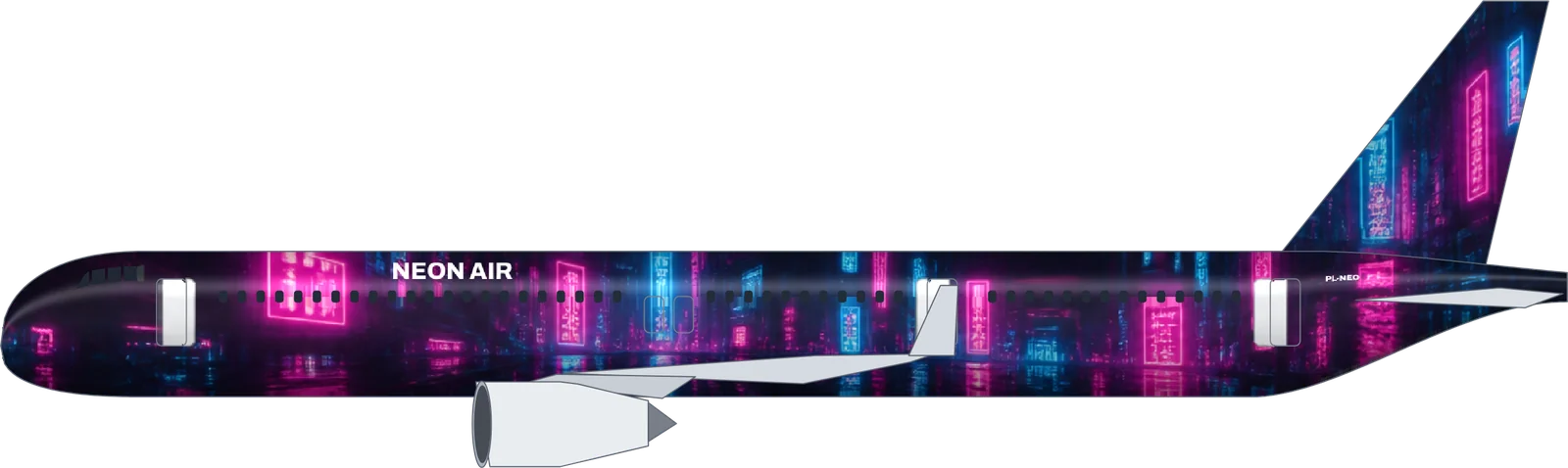
The theme. A character, an animal, a myth, a place or a texture: “a golden Chinese dragon”, “an orca”, “a cyberpunk city at night”.
The colours. Name two or three: “on a deep red fuselage”, “Prussian blue and foam white”.
The tail. Say what goes on the fin, because that is what people see first: “the dragon’s head on the tail fin”.
The style. “Japanese art style”, “kawaii”, “like a pro gaming jersey”, “anime style”.
For example: “A fire phoenix with flaming orange and gold wings spreading from the tail fin along a dark red fuselage.” Every livery in the gallery below shows the exact sentence that painted it; press Paint one like this to start from the same idea.
Anime and character liveries
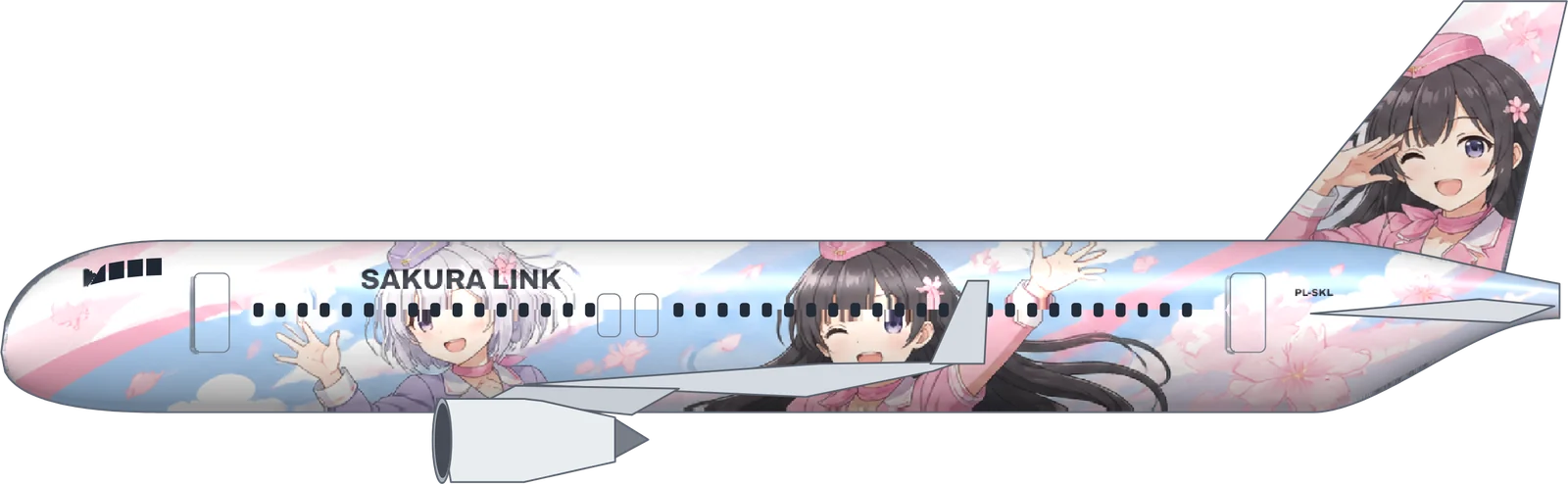
Character jets are the most popular special liveries, in real aviation and in flight sims. Describe an original character in detail: hair, outfit, expression, pose, the sky behind them, and their face on the tail. Two characters work well too, like the two flight attendants on Sakura Link. Existing characters from anime, games and films belong to their owners, so ask for an original character in that style.
When to choose a clean livery instead
If you want a classic airline look (white fuselage, coloured tail, a cheatline), switch the style to Clean livery. It takes two seconds, costs one credit and every colour stays editable. Many people keep both: an artwork for special flights and a clean livery for everyday flying.
Updated .
Painted by the AI livery generator
Every image is unedited output from this tool, with the exact sentence that was typed.
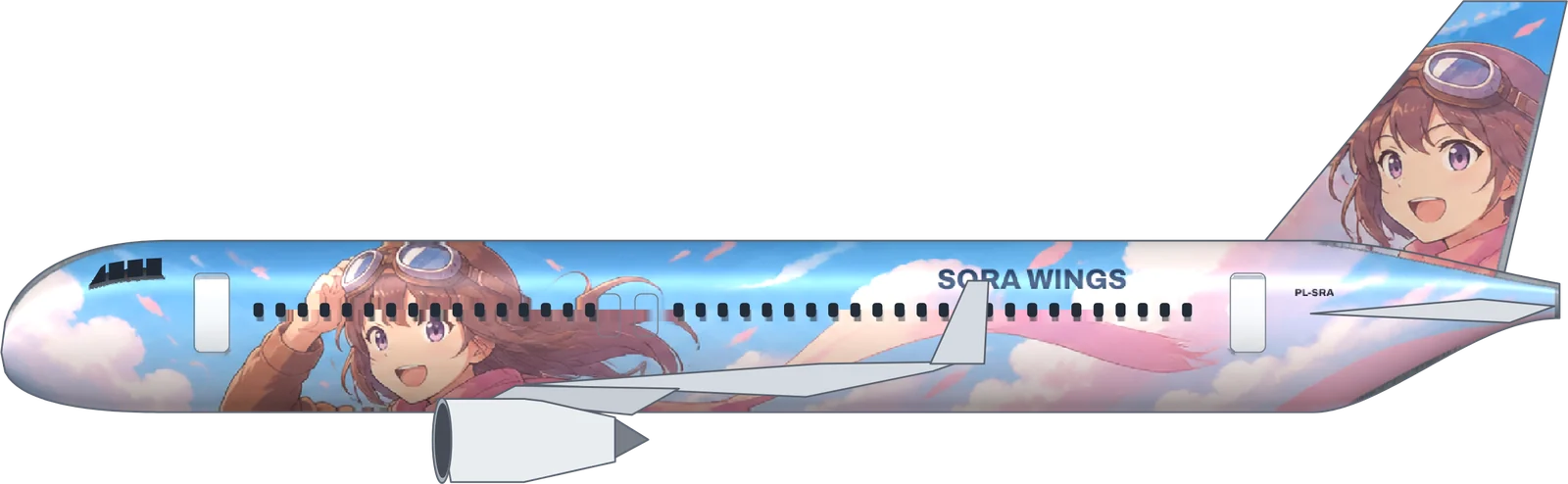
Sora Wings
A320
“An original anime-style girl pilot with aviator goggles and a long flowing scarf, drawn big and bright along the fuselage, pastel sky and fluffy clouds behind her, her smiling face on the tail fin”
“Two original anime-style flight attendant girls, one with short silver hair and one with long black hair, waving happily along the fuselage among cherry petals, bright pastel colors, one of them winking on the tail fin”
Black on yellow points the way, yellow on black says where you are, same as the signs on a real taxiway.
AI livery generator questions
Can AI generate a complete airplane livery?
It paints the whole fuselage and the tail fin, which is where a livery lives, and adds your airline name and registration. Wings, engines and landing gear keep the aircraft’s standard grey, as on most real special liveries.
Is the result usable in a flight simulator?
Yes, in GeoFS. The painting is fitted to the real side view of the aircraft and exported as a texture laid out for the GeoFS model. General image AIs give you a picture of a plane; this gives you a file you can load and fly.
Can I upload a picture of my character?
Not yet. Describe the character instead: hair, outfit, pose, colours and what should appear on the tail. Characters that already exist in anime, games or films belong to their owners, so the AI paints an original one in that style.
How much does the AI livery generator cost?
A full AI artwork costs 5 credits and a clean airline livery costs 1. Every new account gets 10 free credits, and failed paintings are refunded automatically.
Which AI model paints the livery?
Full artwork is painted by an OpenAI image model working on a blank side-view template of your aircraft; clean liveries are designed by a Google Gemini text model and drawn by our own renderer. Both run through OpenRouter.
Why does the AI sometimes add an extra row of windows?
Image models occasionally repaint the window line. The tool puts the real windows back, but a doubled row can slip through. Paint again; a failed or unusable result does not cost credits.
Do I own the AI-generated livery?
As far as the law allows, yes, and you can use it in sims, virtual airlines, games and posts. AI images may not be protected by copyright in some countries, and similar images can be generated for others.