AI livery generator for flight-sim pilots
Plane livery maker. Your airline, painted in a minute.
Describe an airline in one sentence. The AI paints it on the real A320, A321neo, 737 or 787 template, so it fits in GeoFS. No Photoshop, no paint kit.
For GeoFS · Airbus A320 · A321neo · Boeing 737-800 · 787-9 · LiverySelector-ready PNG
No account needed to try a ready-made livery. 10 free credits when you sign up. No card.
Tails painted by Plane Livery, each from one sentence
 planelivery · studioFree to try
01 · One sentence in
You describe the airline. The AI designs it.
No layers, no paint kit, no forms. Say who the airline is, a mood or a character. The AI names it, picks the colours and places the titles, then paints the whole aircraft.
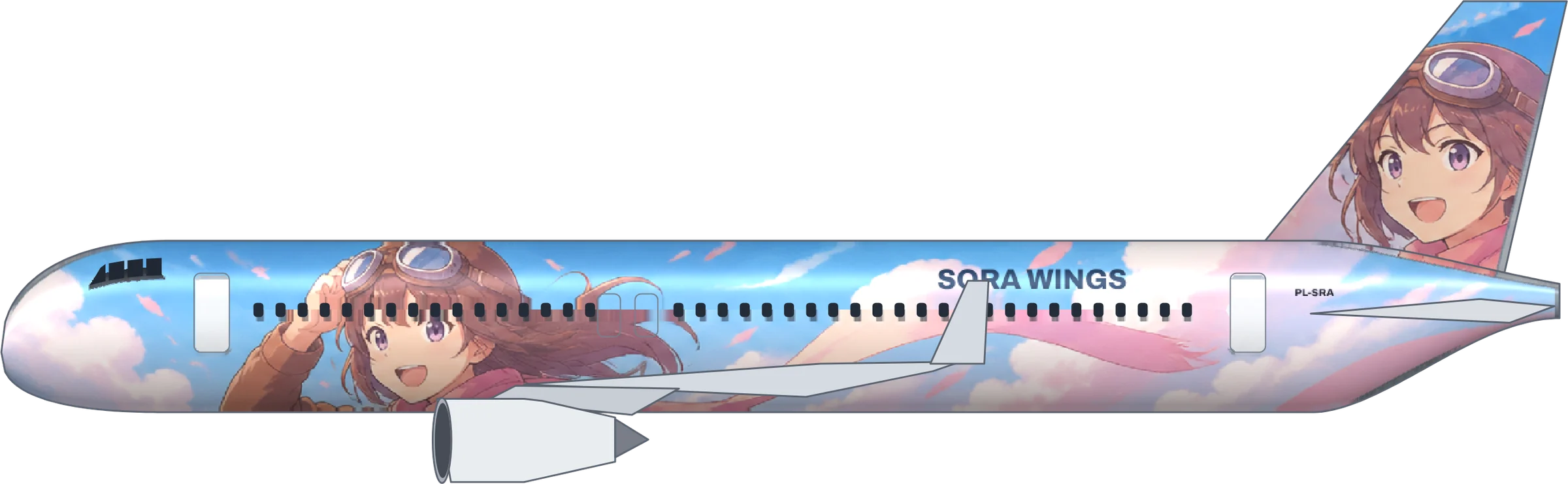
planelivery · studioPaintingAn airline for anime fans: a girl pilot in aviator goggles and a long scarf, pastel sky, her face on the tail. A320.
Calling it Sora Wings. Titles go above the windows, clear of the doors, and the registration PL-SRA sits by the tail.
- Aircraft
- Airbus A320, real doors and windows
- Tail fin
- Her smiling face
- Style
- Full AI artwork, about 40 seconds
Painting her nose to tail on the real A320 template now
02 · Painted on the real airframe
Not a concept picture. A livery you can fly.
The hard part of a livery is making it fit: windows, doors, a mirrored left side, the GeoFS texture layout. That part is ours. Keep scrolling: six aircraft, six finished liveries.
With a paint kit that is a weekend of layers. Here it is one sentence.
- 01Primer
- 02Artwork
- 03Titles & registration
- 04GeoFS export
a320 · templateReady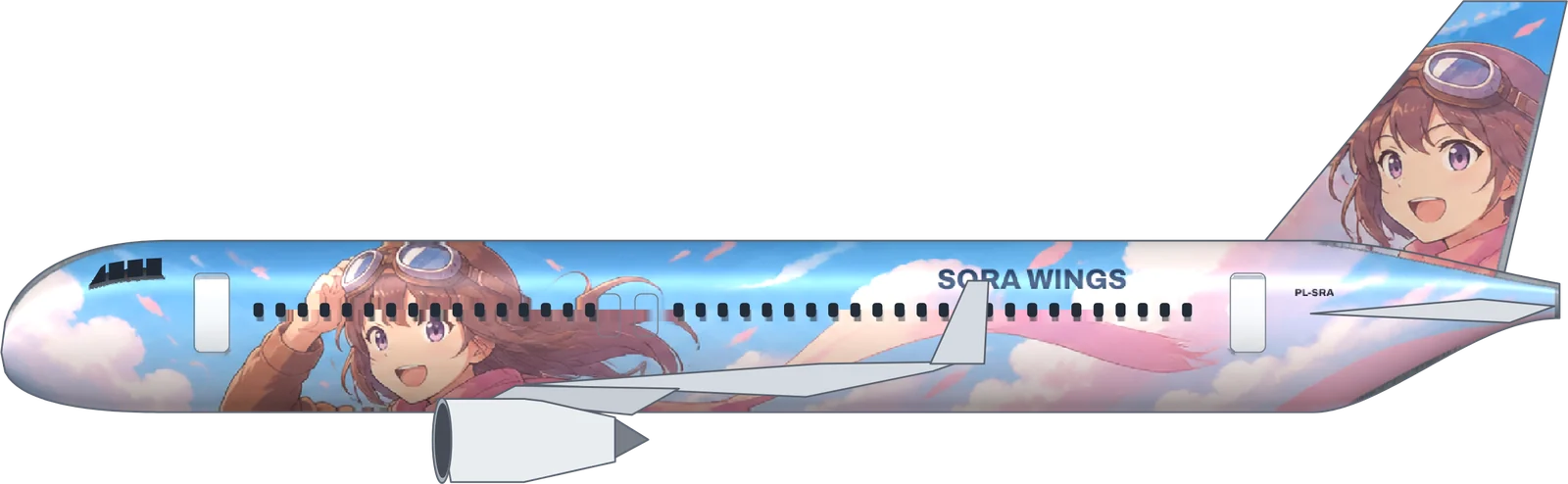
03 · Made with Plane Livery
A hangar full of liveries. Every one painted here.
Each one came from the sentence under it. Click a plane to paint one like it.
- Sora WingsA320“An original anime-style girl pilot with aviator goggles and a long flowing scarf, drawn big and bright along the fuselage, pastel sky and fluffy clouds behind her, her smiling face on the tail fin”
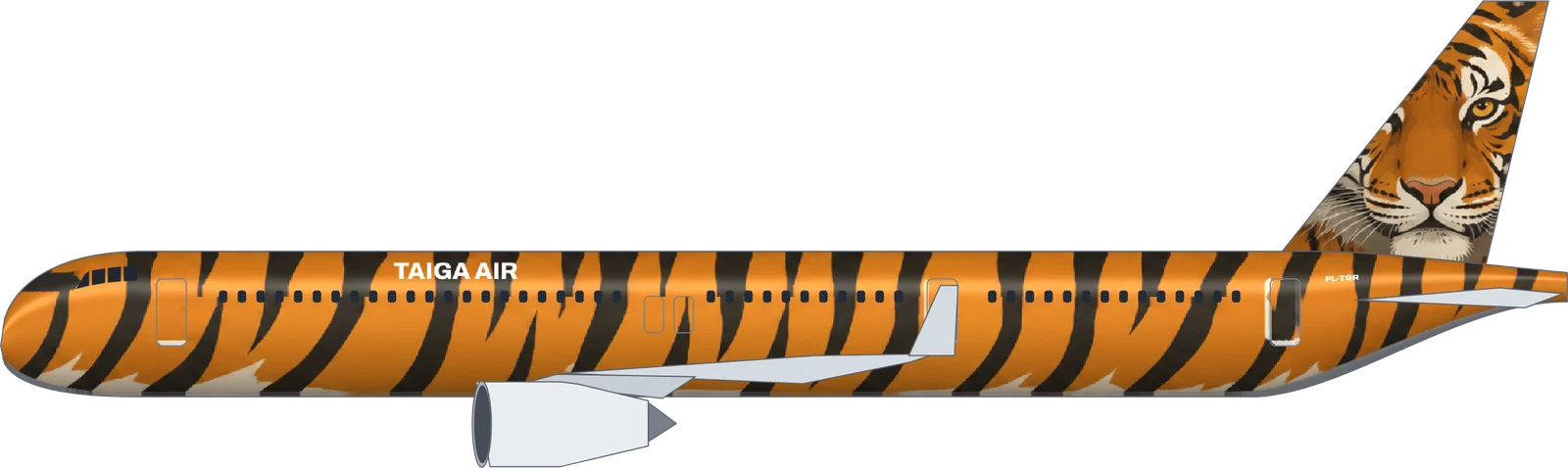 Taiga AirA321neo“A Siberian tiger: orange fur and black stripes over the whole fuselage, the tiger’s face on the tail fin”
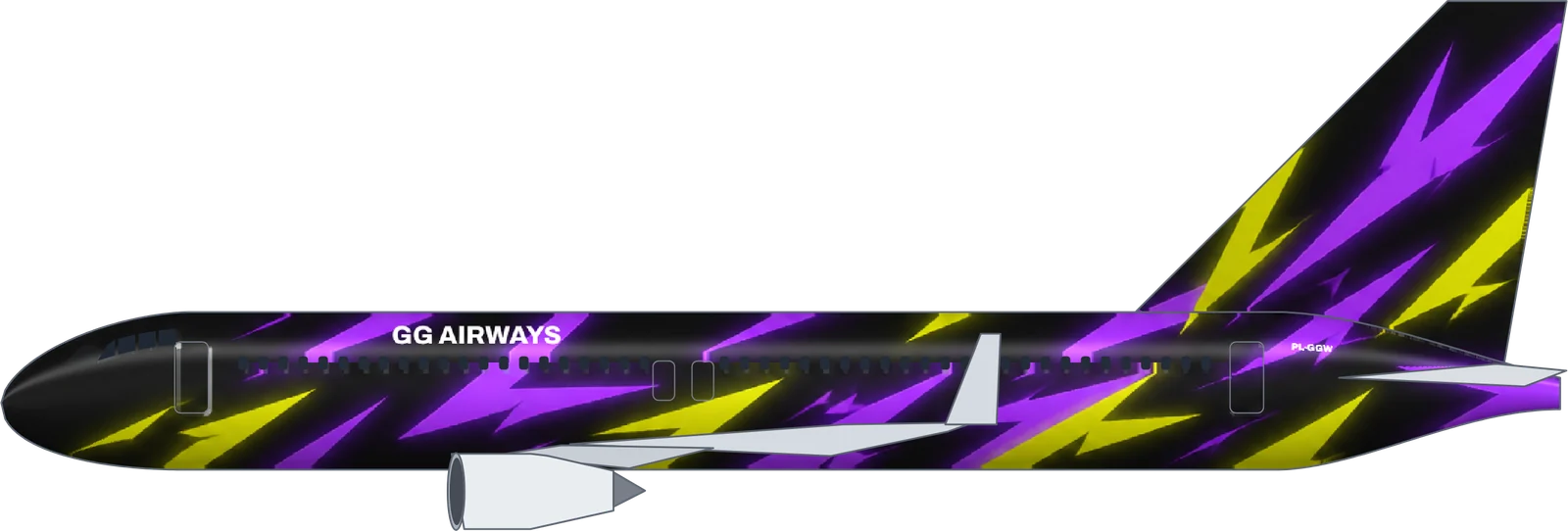 GG Airways737-800“Esports gaming team style: sharp angular shards in neon purple and electric yellow on a black fuselage, glowing edges, like a pro gaming jersey”
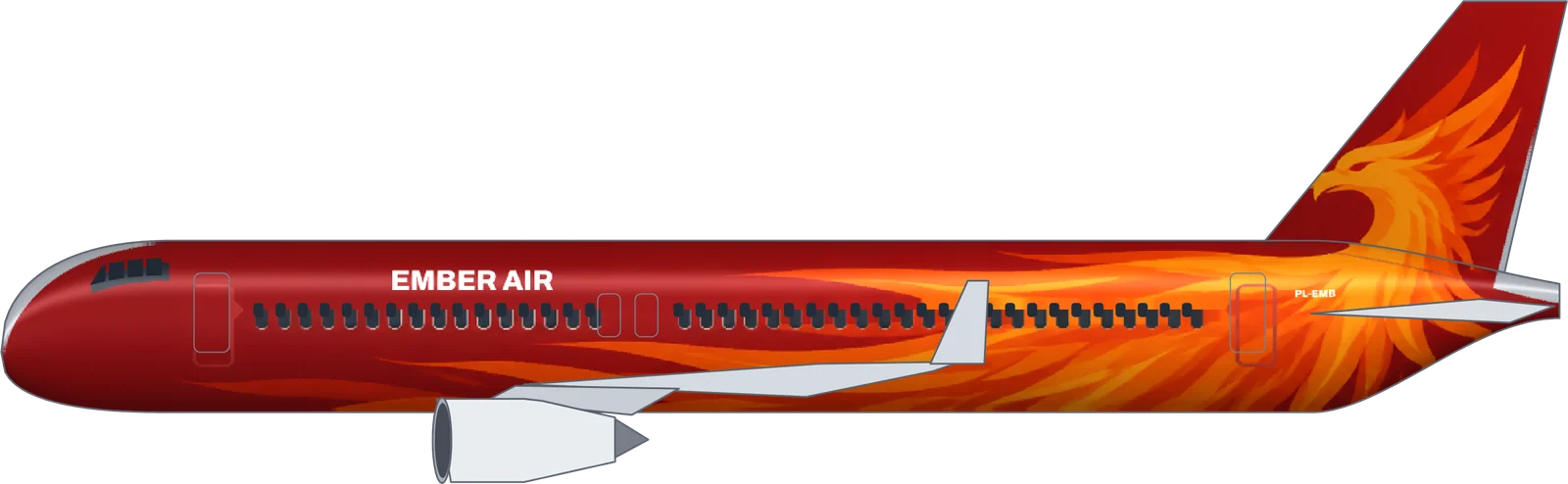 Ember AirA320“A fire phoenix with flaming orange and gold wings spreading from the tail fin along a dark red fuselage”
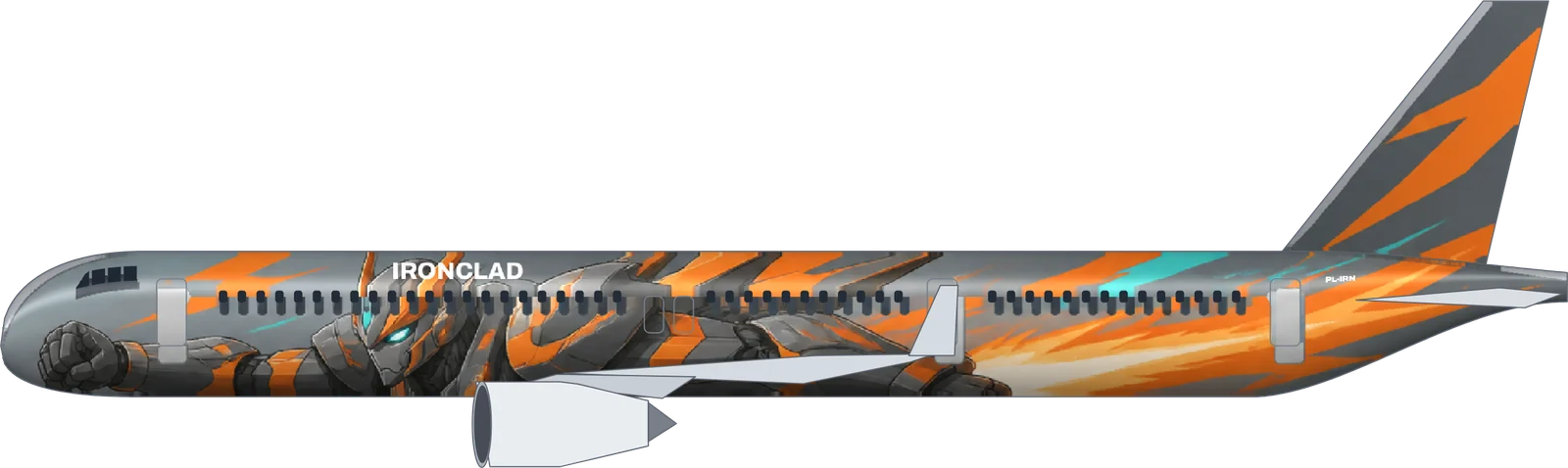 IroncladA321neo“An original giant robot in gunmetal grey and safety orange armor with glowing teal eyes, anime style, flying pose along the fuselage with jet flames”
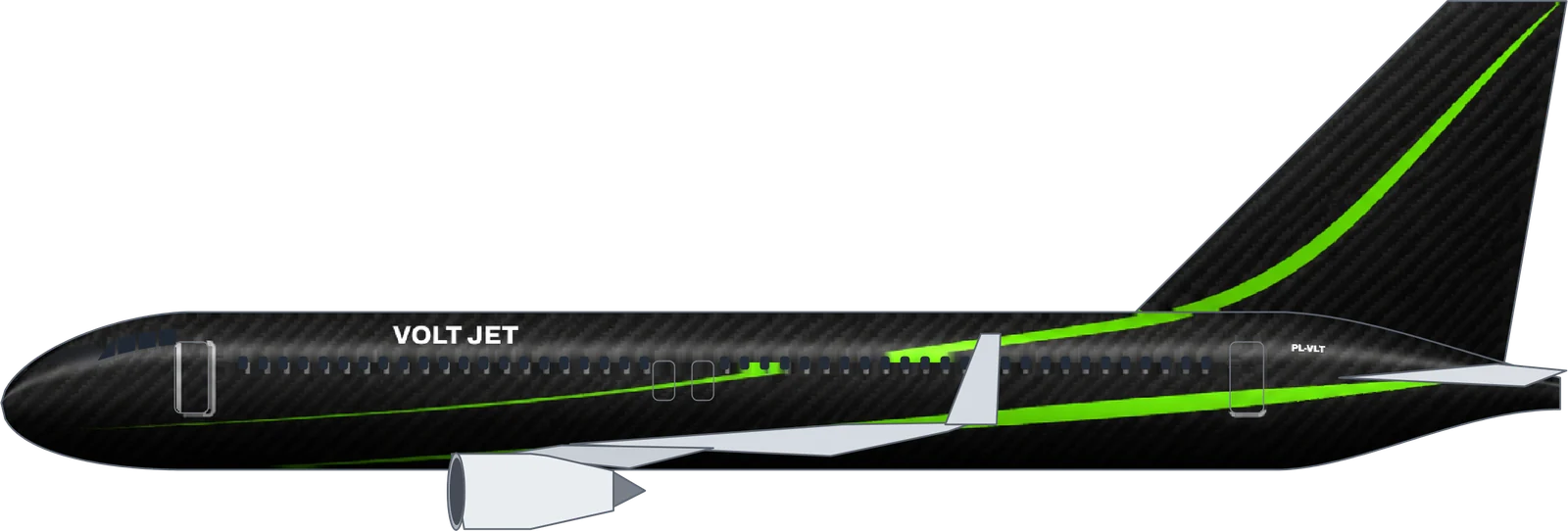 Volt Jet737-800“Matte black carbon fiber weave with thin neon green racing stripes, like a supercar”
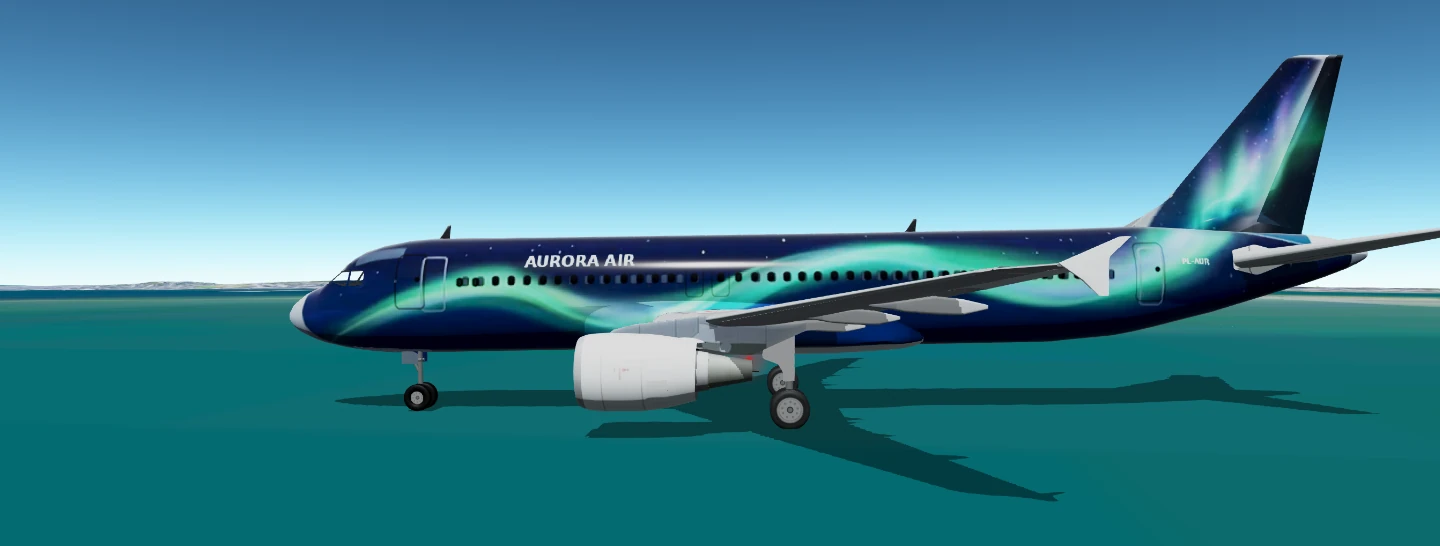
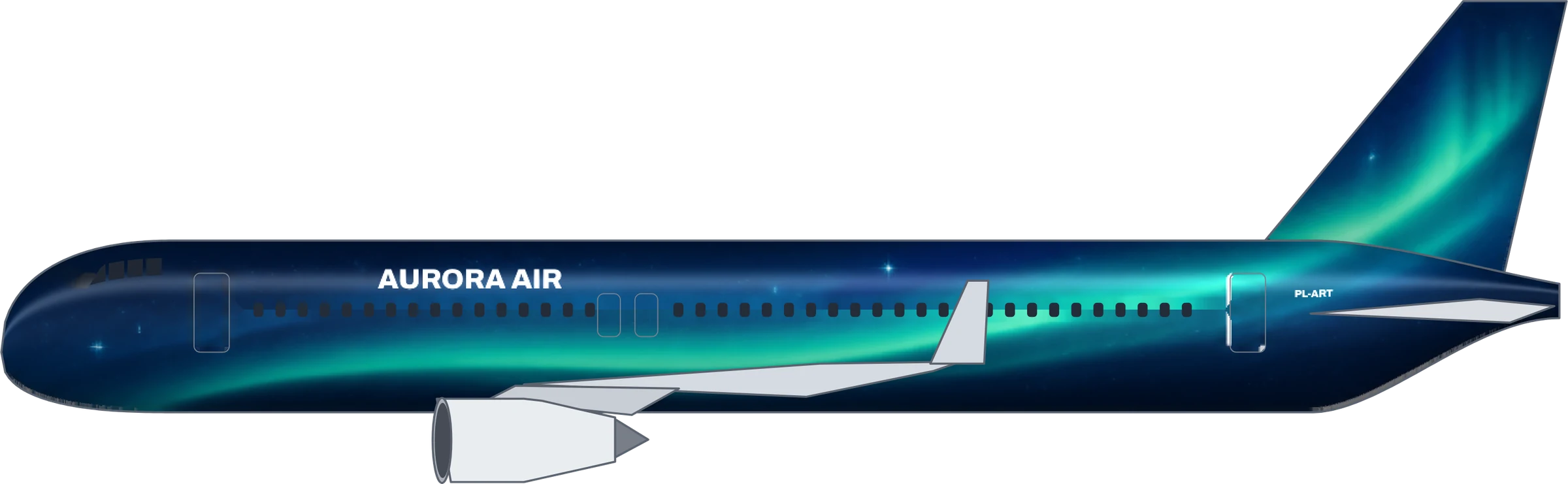 Aurora AirA320“"Night sky aurora" for a fictional airline - deep navy lower fuselage, a flowing green-teal aurora ribbon sweeping along the fuselage from nose to tail, small stars, and a tail fin showing a glowing aurora over dark sky”
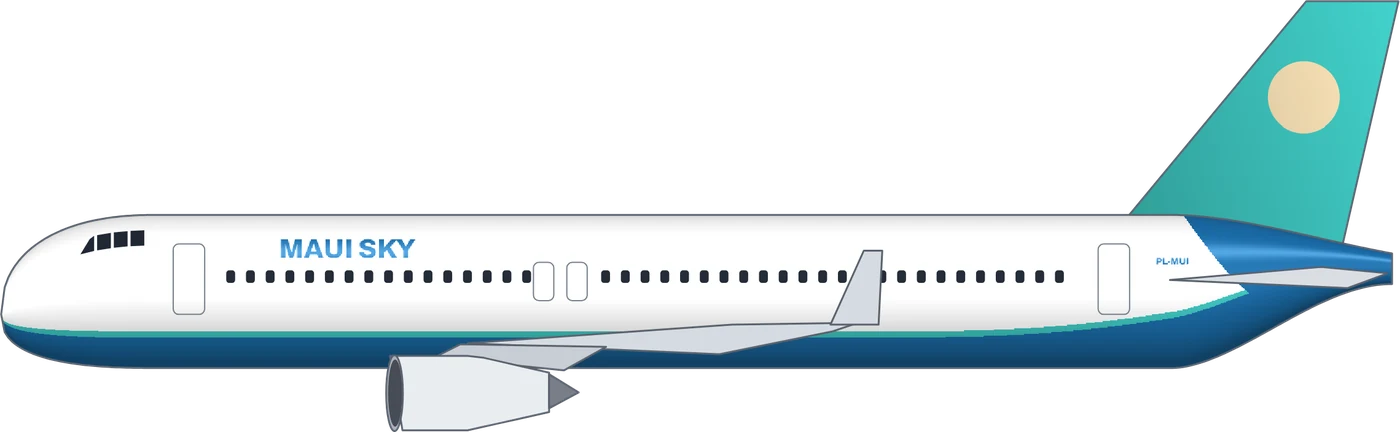 Maui SkyA320“A Hawaiian-style budget airline with a relaxed ocean vibe”
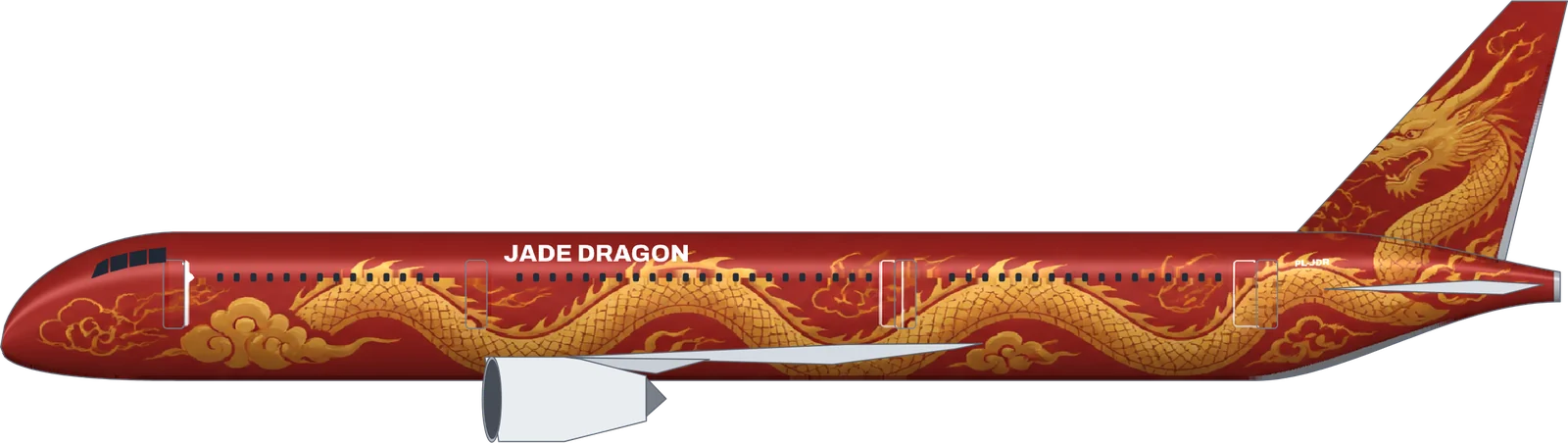 Jade Dragon787-9“A golden Chinese dragon coiling along a deep red fuselage with swirling clouds, the dragon’s head on the tail fin”
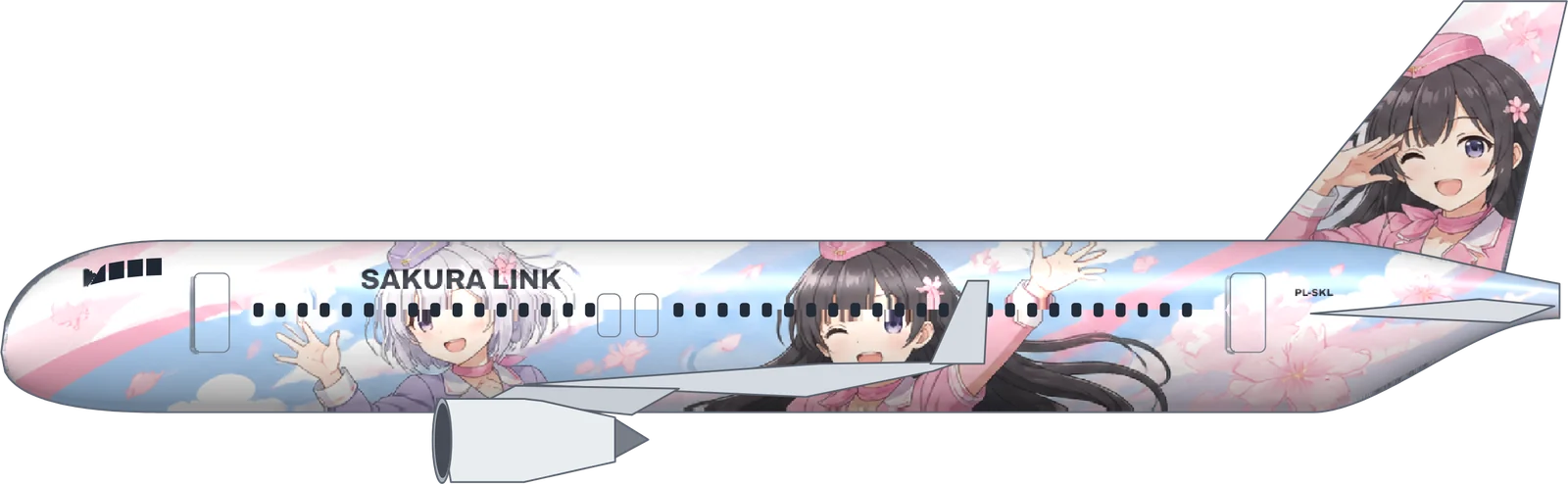 Sakura LinkA320“Two original anime-style flight attendant girls, one with short silver hair and one with long black hair, waving happily along the fuselage among cherry petals, bright pastel colors, one of them winking on the tail fin”
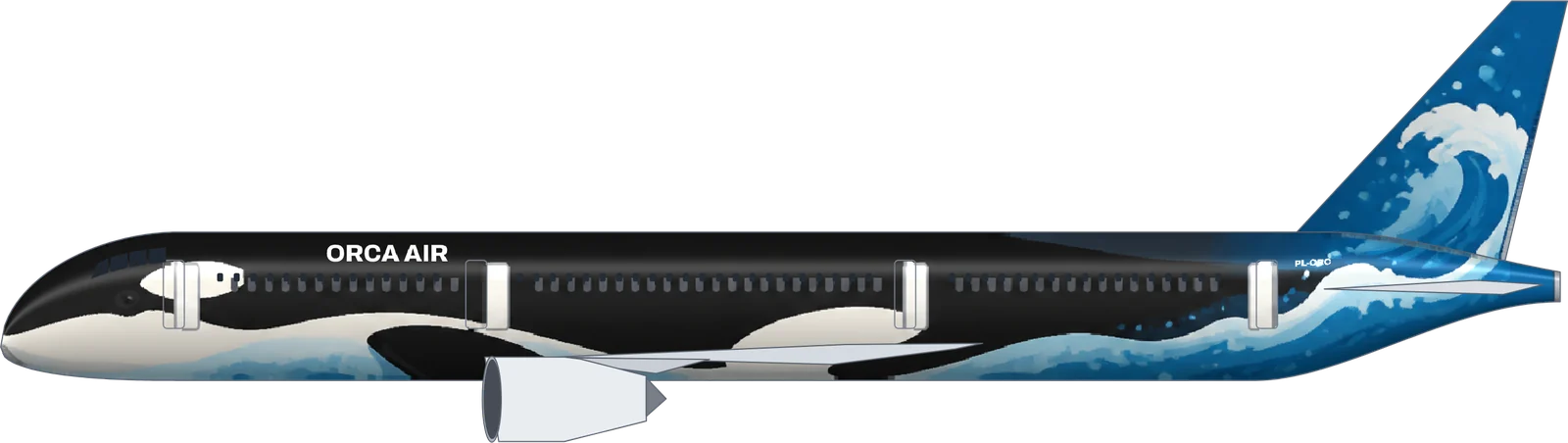 Orca Air787-9“A huge orca whale swimming along the fuselage, black and white, ocean waves and bubbles on the belly”
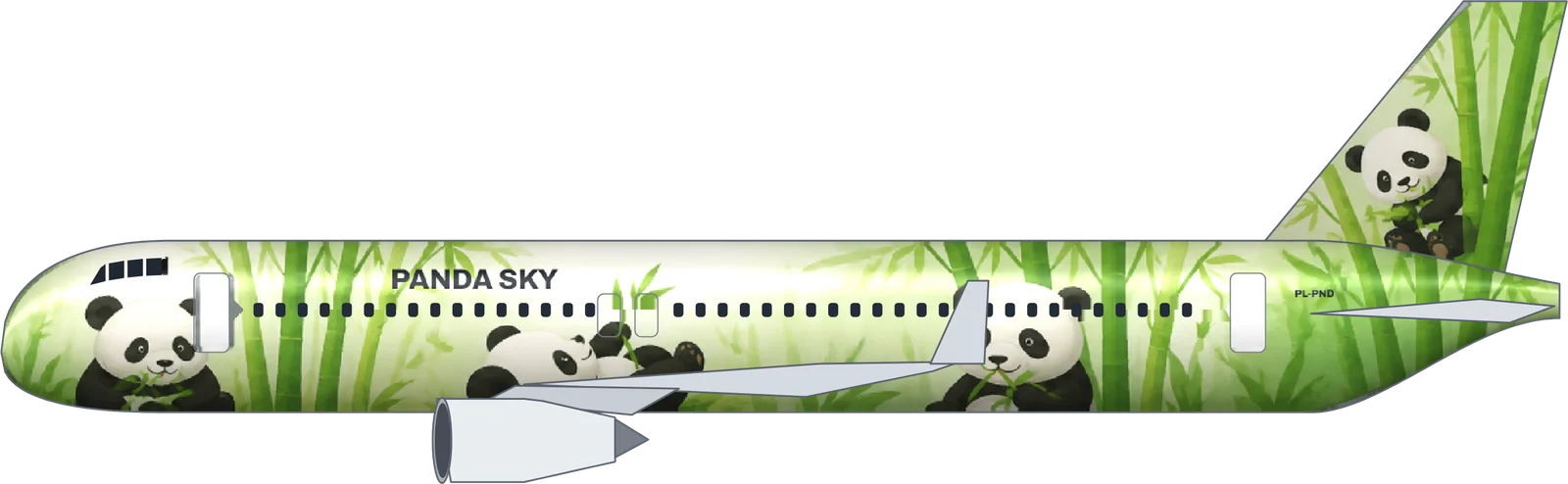 Panda SkyA320“Giant pandas munching bamboo in a fresh green bamboo forest, playful and cute”
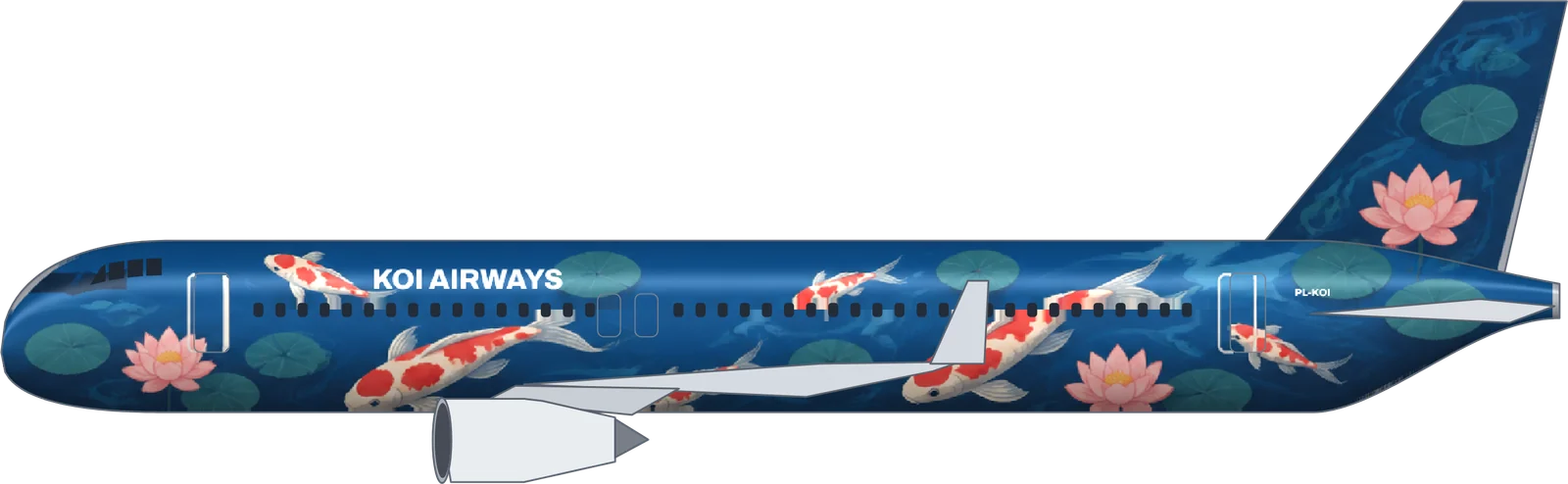 Koi AirwaysA320“Red and white koi fish swimming through a deep blue pond with lotus leaves, Japanese art style”
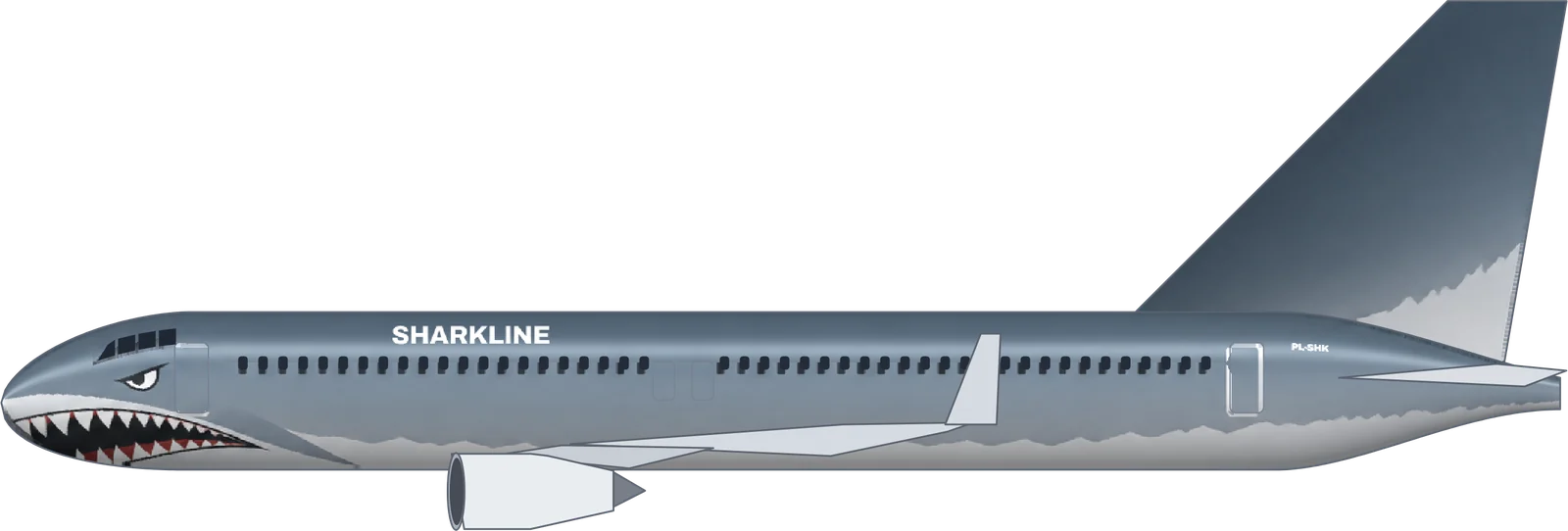 Sharkline737-800“Fighter-jet shark mouth with white teeth at the nose, grey-blue shark skin on top fading to a white belly, aggressive and sleek”
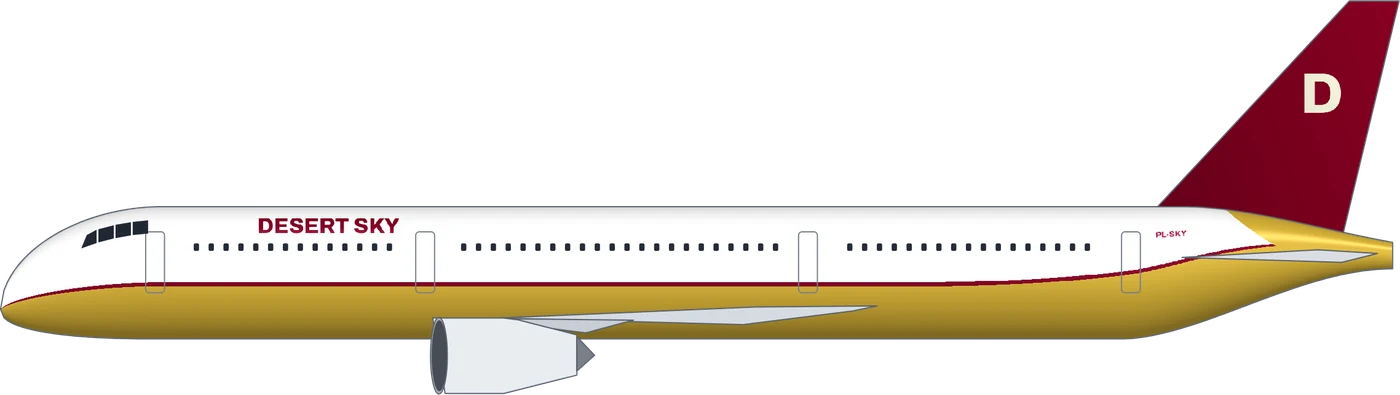 Desert Sky787-9“Luxury long-haul airline from the desert, gold and burgundy”
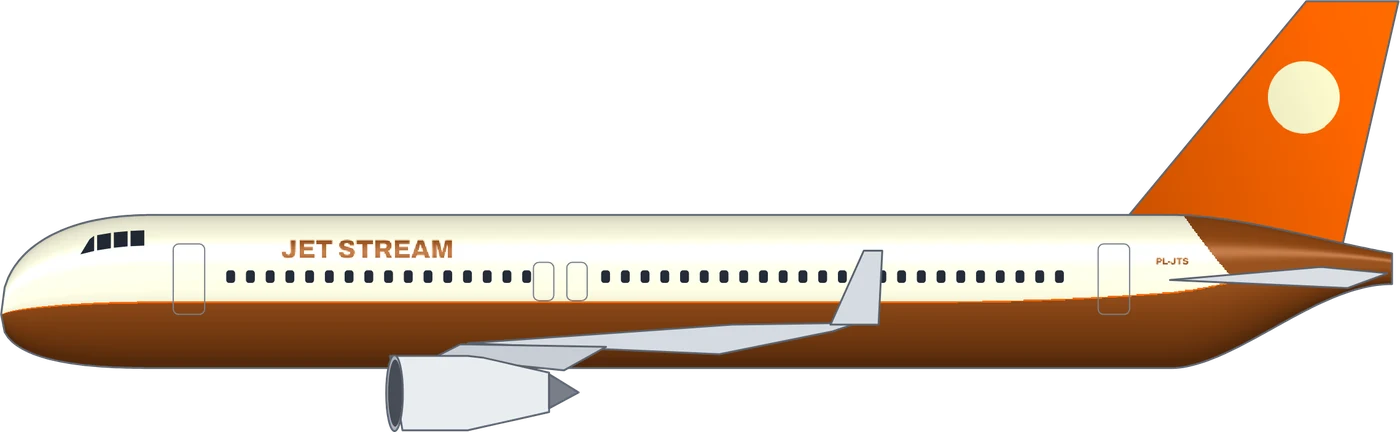 Jet StreamA320“Retro 1970s jet age airline with orange and brown stripes”
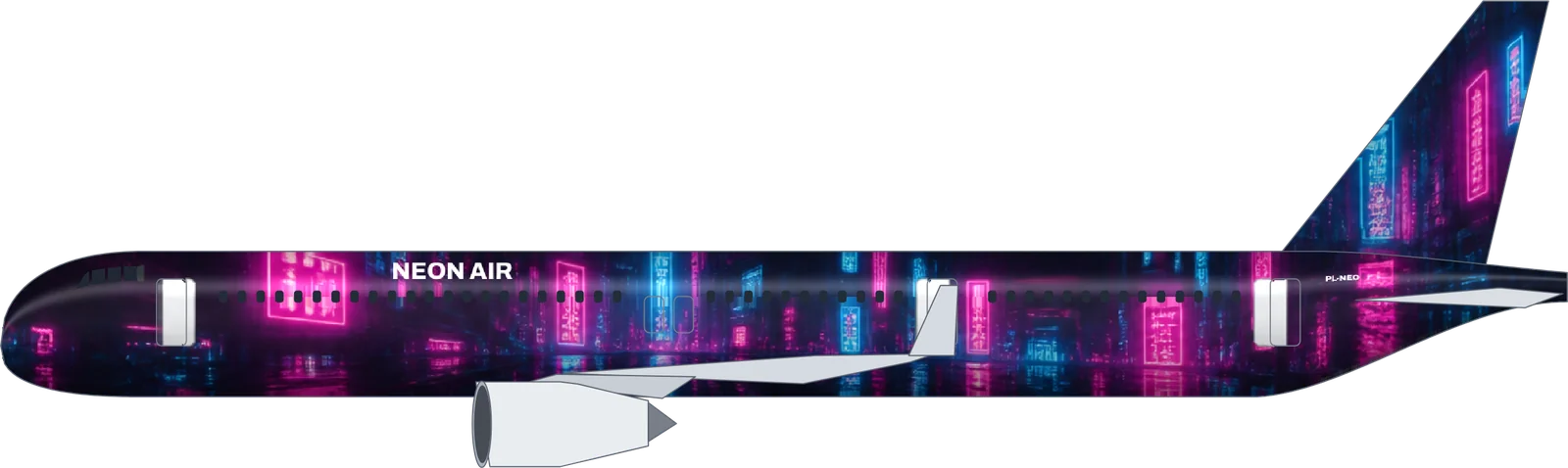 Neon AirA321neo“Cyberpunk neon city at night: magenta and cyan neon signs and rain reflections on a black fuselage”
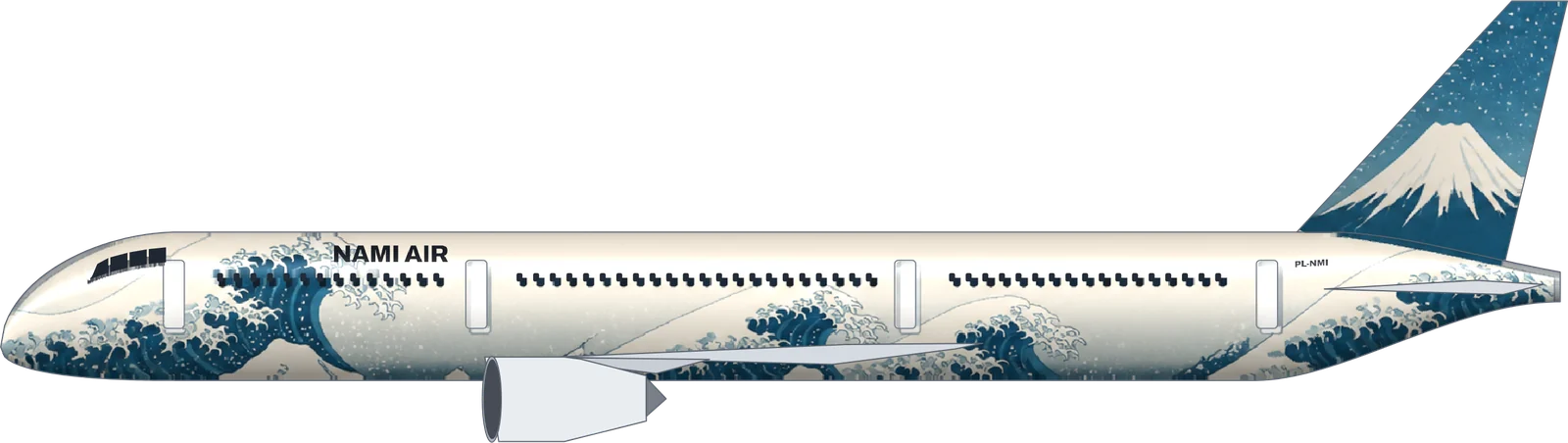 Nami Air787-9“A giant ukiyo-e great wave rolling along the fuselage in Prussian blue and foam white, Mount Fuji on the tail fin”
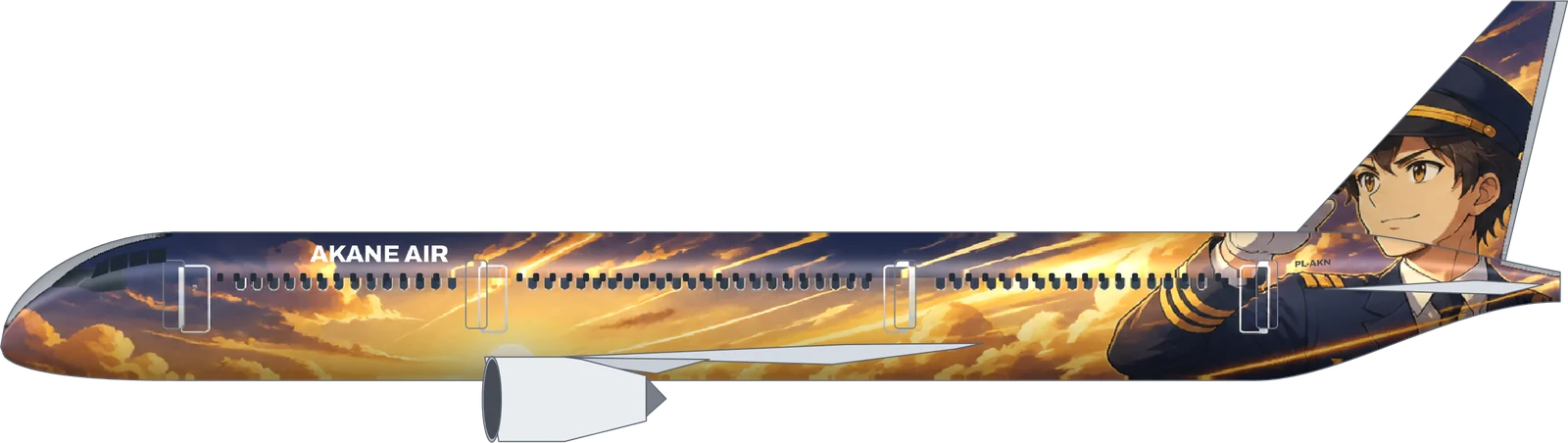 Akane Air787-9“An original anime-style young captain with a navy pilot cap and a confident smile, saluting, dynamic speed lines and a golden sunset sky, his face on the tail fin”
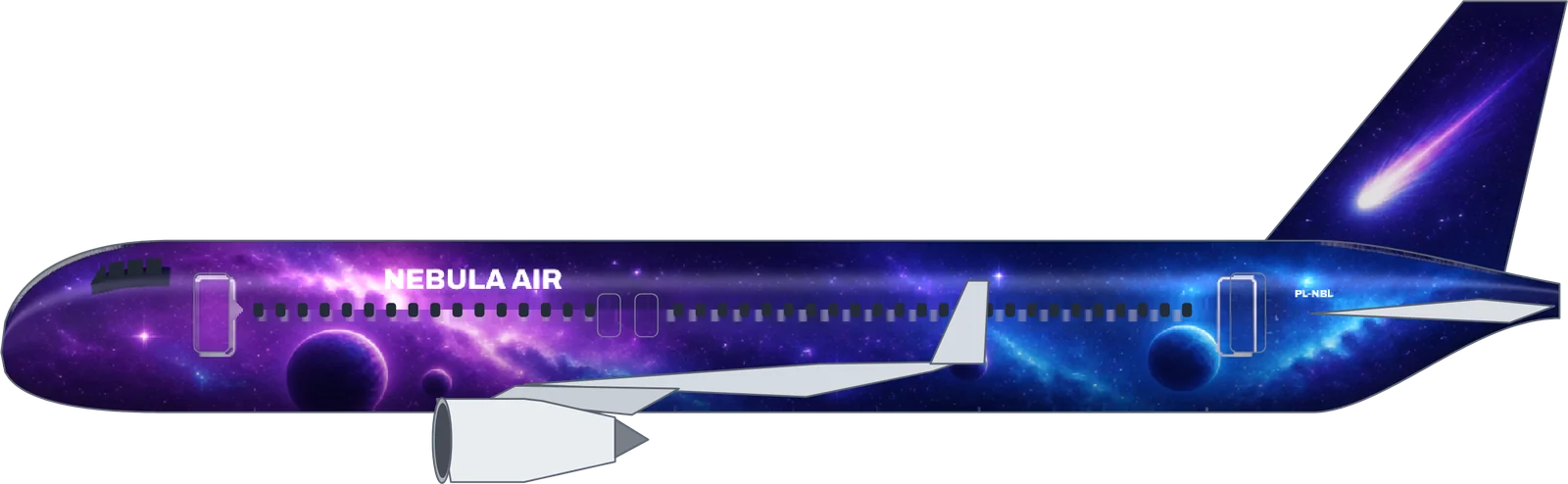 Nebula AirA320“Deep space: a purple and blue nebula, glowing planets and stars along the fuselage, a comet on the tail fin”
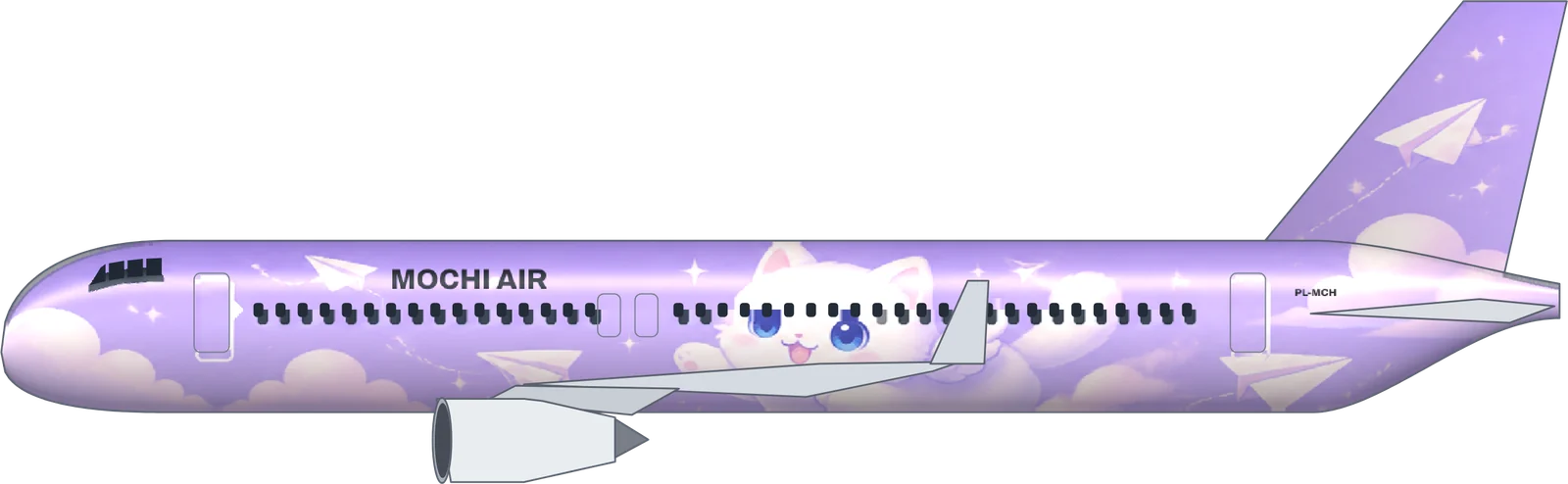 Mochi AirA320“An original fluffy white cloud cat mascot with big round blue eyes and tiny wings, with little paper-plane friends, flying across a pastel lavender sky, cute kawaii style”
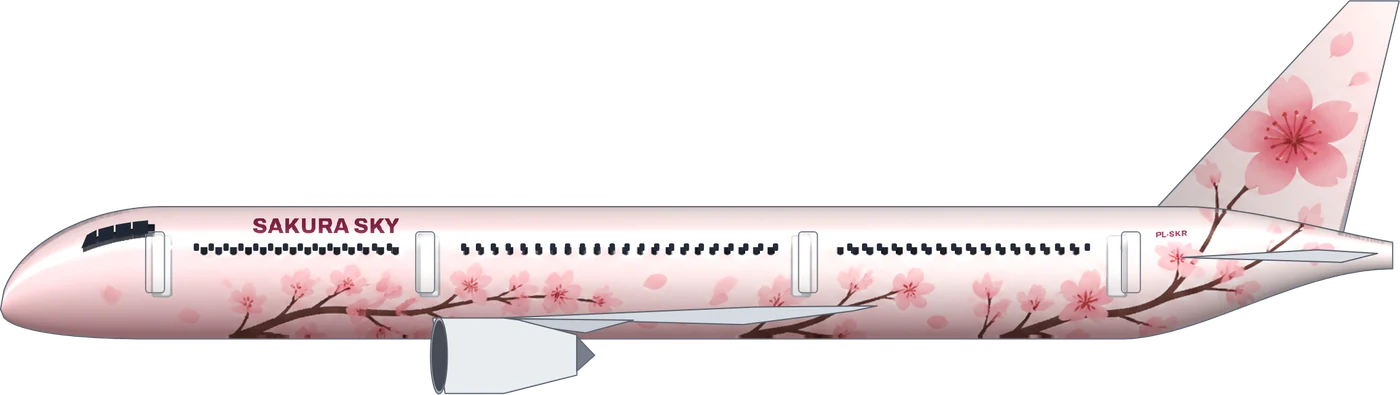 Sakura Sky787-9“Cherry blossom branches on a pale pink and white fuselage, a large pink blossom on the tail”
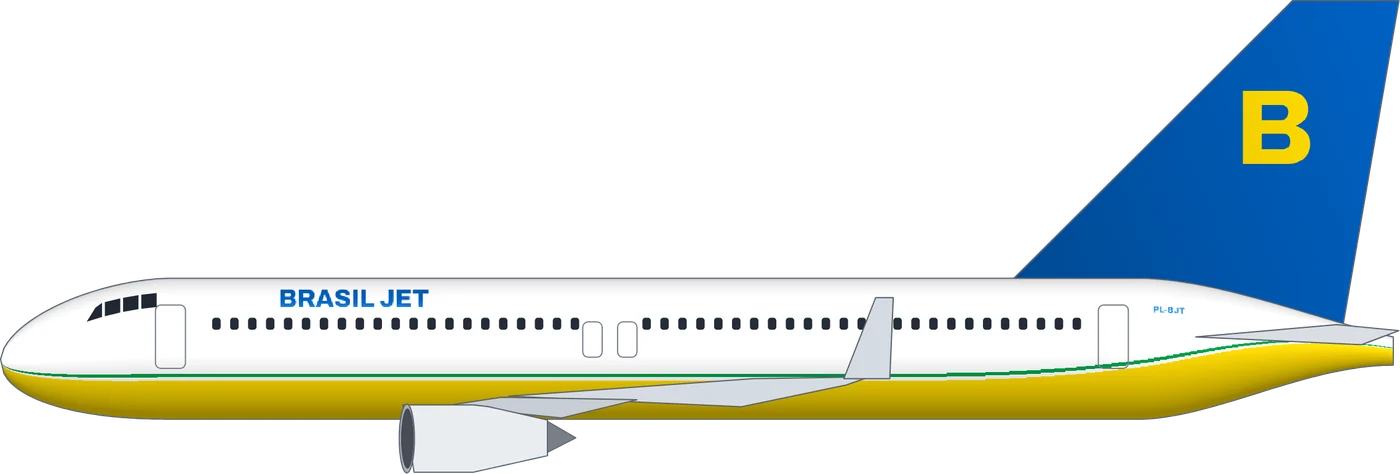 Brasil Jet737-800“A cheap and cheerful low cost carrier from Brazil”
Download and fly
Made for GeoFS
Every design exports straight to the GeoFS paint layout for the A320, A321neo, 737-800 and 787-9. No Photoshop, no UV maps, no image host.
Export profile · GeoFS
- Paint file
your-airline-geofs-a320-214.png- Size
- 2048 px square; 1024 px for the 737-800
- Load with
- LiverySelector › Load External Liveries › Direct
- Check
- Chase camera, fly round: titles read right on both sides
- Who sees it
- Only you, until it is shared
Plane Livery at a glance
- Price
- Free to start: 10 credits on sign-up. Clean AI livery 1 credit, full AI artwork 5. Editing and downloads are free.
- Aircraft
- Airbus A320, Airbus A321neo, Boeing 737-800, Boeing 787-9
- You get
- A 3600 px side-view PNG and a GeoFS texture PNG (2048 px; 1024 px for the 737-800)
- Speed
- About 2 seconds for a clean livery, about 40 seconds for full AI artwork
- Account
- Only for the AI (email sign-up). Designing by hand needs no account.
- Works with
- GeoFS with the LiverySelector add-on. MSFS, X-Plane and Infinite Flight are not supported yet.
Plane Livery (planelivery.com) is a free AI plane livery maker for fictional airlines: describe an airline, get a finished livery on a real airliner, and export it for GeoFS. Updated .
Your airline is next.
Every flight in the default paint looks like everyone else’s. Yours can have a name, a tail and a story by tonight.
Paint your first liveryNo account needed to try a ready-made livery. 10 free credits when you sign up.
What Plane Livery can’t do well yet
The rough edges we know about, in plain words, with the way around each one today.
Full AI artwork sometimes adds a row of windows
The painter occasionally draws extra windows or moves a door. Plane Livery checks each painting against the real template and tells you when the shape does not fit; paint again (it usually works the second time) or switch to a clean livery, which is built from the template itself. Paintings that fail on our side are refunded automatically.
Fine detail on the tail can come out soft
A face or a symbol on the fin is painted at the size of the fin, so very small details blur. Ask for one big, simple thing on the tail: a face, an animal, a sun.
Only four aircraft so far
The A320, A321neo, 737-800 and 787-9. The 777 and A350 are next. Until then, the side view still works as a design reference for other aircraft.
GeoFS only, no MSFS or X-Plane yet
Textures are laid out for GeoFS today. MSFS and X-Plane need their own paint kits and packaging; they are on the list.
No existing characters or real airlines
Ask for a character from an anime, game or film, or a real airline, and you get an original design in that spirit instead. That keeps what you make yours to share.
Hit something that is not on this list? Write to hello@planelivery.com.
Questions pilots ask
Is this plane livery maker free?
Yes. Sign up with Google or email and you get 10 credits: enough for 10 clean liveries or 2 full AI artworks. A clean livery costs 1 credit and a full AI artwork costs 5. Editing colours, titles and the tail symbol by hand, and downloading the side view and the GeoFS file, cost nothing.
Can I put anime or game characters on my plane?
You can describe any original character, like the anime crews in the gallery. Characters that already exist in anime, games or films belong to their owners, so the AI paints an original character in that style instead.
Which aircraft can I paint?
The Airbus A320 and A321neo, the Boeing 737-800 and the 787-9. Each one uses its real door and window positions, so the livery lines up in the sim.
How do I put the livery into GeoFS?
Download the GeoFS file, open LiverySelector in GeoFS, go to the Direct tab and load the PNG. Our LiverySelector guide walks through it step by step.
Can other pilots see my livery?
No. A livery loaded from your computer shows only on your screen. Other pilots see the default paint.
Can I make a real airline’s livery?
No. Plane Livery makes fictional airlines only. Ask for a real one and the AI designs an original airline in a similar spirit instead.
What happens if the AI fails?
If a painting fails or comes back unusable, the credits go straight back to your account. You only pay for results you can download.
Who owns the liveries I make?
As far as the law allows, you do. Use them in flight simulators, virtual airlines, games, art and social posts. AI-generated artwork may not be protected by copyright in some countries, and similar images can be generated for other people.
What files do I get?
A 3600-pixel side-view PNG for sharing (with a small planelivery.com mark), and a GeoFS texture PNG laid out for the aircraft: 2048 pixels for the A320, A321neo and 787-9, 1024 pixels for the 737-800.
Does it work with MSFS, X-Plane or Infinite Flight?
Not yet. Textures are made for GeoFS today. You can still use the side view as a design reference for other simulators; MSFS and X-Plane exports are planned.
Can I upload my own logo or image?
Not yet. Describe the logo or picture you want and the AI paints it, or choose a tail symbol in the editor. Uploading your own artwork is on the list.
Does it work on a phone?
Yes, you can design and download on a phone. GeoFS with LiverySelector runs best in a desktop browser, so load the texture there.
Do I need Photoshop or a paint kit?
No. The tool works on the real aircraft templates for you, keeps the windows and doors in place and writes the GeoFS texture, so there is nothing to paint by hand.
How to design a plane livery that looks real
A plane livery maker can paint anything, but the liveries people remember follow a few habits that real airline designers share. Use them as a checklist when you write your sentence, or when you fine-tune the result by hand.
Start from the airline, not the paint
Say who the airline is before you say what it looks like. “A budget island airline that wants to feel like a holiday” gives the designer far more to work with than “blue and yellow”. Home base, price level and mood decide the colours, the typeface weight and how busy the fuselage can be.
Two or three colours are enough
Real airlines rarely use more than three brand colours. A white or very light fuselage with one strong colour on the tail and one accent along the belly or a cheatline reads well from far away and photographs well in the sim. Our clean liveries follow that rule, and you can change every colour afterwards.
Let the tail carry the identity
The tail is the part spotters see first at the gate. Put the symbol there: an initial, a circle, a sun, a bird, or the face of your character if you go for full artwork. The rest of the aircraft can stay calm.
Keep the titles readable
Titles sit above the windows, in front of the wing, and they must never run across a door. The plane livery maker places them on the real template of each aircraft for you, and picks a dark or light title colour from the paint behind it.
Clean livery or full AI artwork?
A clean livery is a classic airline scheme built from shapes: belly, cheatlines, tail, logo and titles. It takes about two seconds, costs one credit and every part stays editable. Full AI artwork paints the whole fuselage and fin like a special livery: anime crews, dragons, tigers, koi ponds, neon cities. It takes about forty seconds and costs five credits. Most people start with artwork for the wow and keep a clean version for everyday flying.
Character and anime jets
Character jets are the most loved special liveries in real aviation, and anime liveries are a big part of flight-sim culture. Describe your own character, their outfit, the sky behind them and what should appear on the tail. Existing characters from anime, games and films belong to their owners, so the AI paints an original character in the same spirit.
Check it on the aircraft you fly
A design that works on the long 787 can feel crowded on the short 737. Switch aircraft in the plane livery maker before you download, and paint the artwork again for each airframe you fly in GeoFS.
More tools on the field
Black on yellow points the way, yellow on black says where you are, same as the signs on a real taxiway.